Introduction to Plant 3D modeling
In today’s fast-evolving industrial landscape, the demand for precise and efficient design processes makes Plant 3D modeling an essential skill. By enabling designers and engineers to create accurate, three-dimensional representations of plant layouts, it facilitates enhanced visualization and planning. This article offers a comprehensive overview of Plant 3D modeling, its significance, key features, and practical approaches for mastering it.
What is Plant 3D modeling?
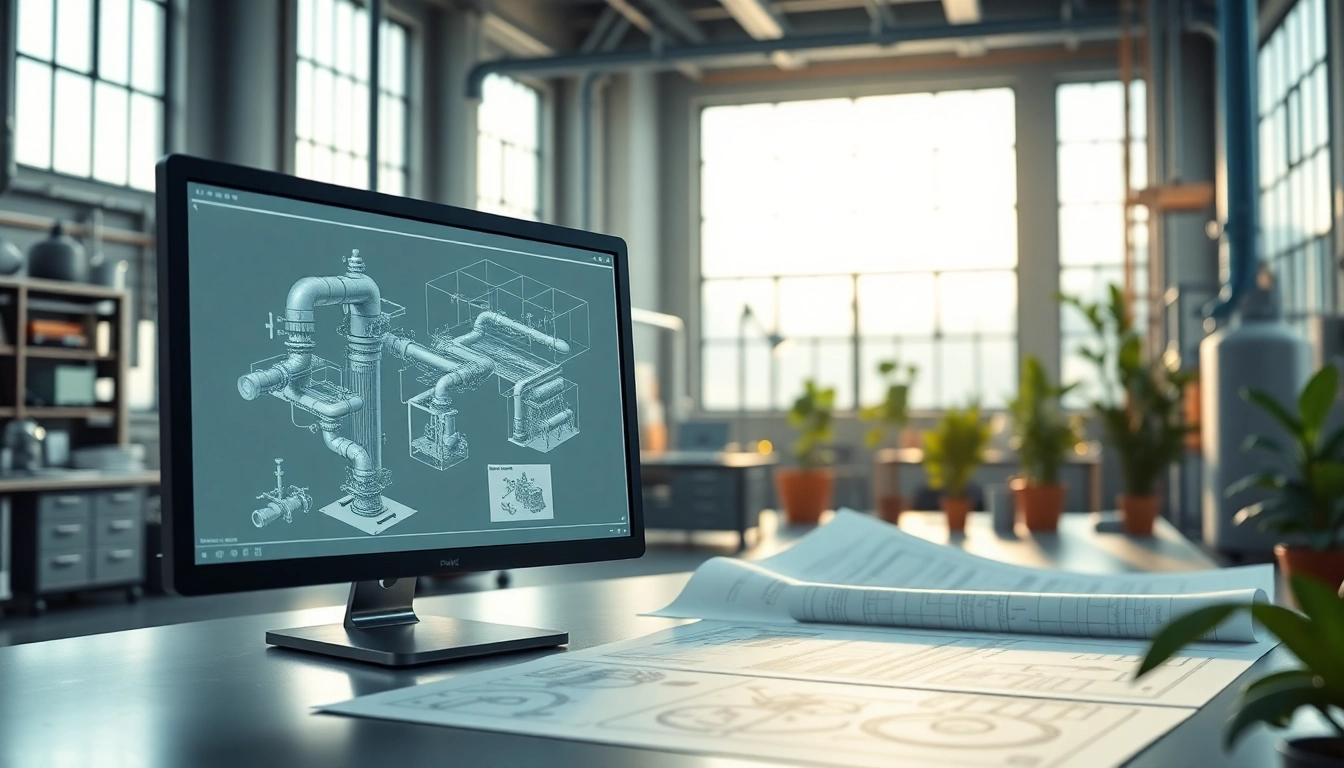
Plant 3D modeling refers to the process of creating three-dimensional representations of industrial plants, encompassing equipment, piping, and structures. It integrates data-driven modeling with visualization tools, allowing designers to simulate processes and workflows in a controlled environment. This enables stakeholders to gain insight into the design and operational aspects before implementation, thus ensuring effective communication and collaboration throughout the project lifecycle.
Importance of Plant 3D modeling in design
The significance of Plant 3D modeling in design cannot be overstated. It enhances accuracy by providing a detailed view of complex systems, reducing errors and omissions that could lead to costly changes during construction. Additionally, it allows for better spatial analysis, improving the layout of equipment and piping. The ability to visualize these components in three dimensions aids in identifying potential issues early in the design process, promoting safety, efficiency, and cost savings.
Overview of software tools for Plant 3D modeling
Various software tools specialize in Plant 3D modeling, each offering a range of capabilities tailored to different industrial requirements. Users can choose from a multitude of solutions, including features for creating piping and instrumentation diagrams, structural supports, and equipment models. Selecting the right software is crucial for maximizing productivity and ensuring that all necessary tasks can be performed seamlessly. Understanding these tools is the first step towards effective Plant 3D modeling.
Key Features and Capabilities
Essential tools for effective Plant 3D modeling
The effectiveness of Plant 3D modeling relies heavily on the tools available within the chosen software suite. Essential tools include:
- 3D Modeling Tools: These allow users to create detailed models of pipes, tanks, and equipment.
- Smart Piping Features: Integrated features for pipe routing and representation that adapts to the model dynamically.
- Collision Detection: Tools designed to identify clashes and conflicts in the model, which helps to resolve issues before actual construction.
- Annotation Tools: Facilities for labeling and detailing models, ensuring clarity of communication among project teams.
Understanding piping and instrumentation diagrams (P&IDs)
Piping and instrumentation diagrams (P&IDs) form the backbone of Plant 3D modeling in industrial design. They illustrate the relationship between various components in a system, showing how equipment, pipes, and instruments interact. By understanding P&IDs, designers can ensure that all parts of a plant design align with operational needs and compliance regulations. This knowledge is essential for any successful Plant 3D modeling project, providing a framework that guides the modeling process.
Creating accurate 3D models and layouts
Creating accurate 3D models requires attention to detail and a comprehensive understanding of both the design goals and the available tools. The process generally involves:
- Setting up the project environment, deciding on the scale and parameters.
- Employing the software's library of components to ensure standardization and consistency.
- Using advanced modeling techniques, such as parametric modeling, to streamline the creation of complex geometries.
- Regularly validating the model against requirements and specifications to maintain accuracy.
Getting Started with Plant 3D modeling
Initial setup and configuration tips
Starting with Plant 3D modeling can seem daunting, but proper initial setup facilitates a smoother workflow. Key tips include:
- Setting up project folders and templates before beginning a model to ensure organized data management.
- Configuring software settings to match project requirements, including units, drawing standards, and templates.
- Familiarizing yourself with the user interface and navigation functionalities to enhance efficiency.
Basic commands and navigation
Proficiency in basic commands and navigation is essential for maximizing the capabilities of Plant 3D modeling software. Users should focus on learning:
- Common shortcuts to expedite workflows.
- Command parameters and editing features to manipulate models quickly.
- Using layers and viewports effectively to manage complex projects.
Creating your first project in Plant 3D modeling
To create your first project in Plant 3D modeling, consider following these steps:
- Create a new project using predefined templates to ensure consistency.
- Import existing data or sketches to guide the modeling process.
- Build the model incrementally, checking for accuracy and compliance as you progress.
- Generate reports and documentation to capture your work and assist collaborators.
Advanced Techniques in Plant 3D modeling
Integrating design with other engineering disciplines
One key aspect of Plant 3D modeling is the integration with other engineering disciplines, ensuring coordination and comprehensive project management. Techniques include:
- Utilizing BIM (Building Information Modeling) methodologies to synchronize with architectural and structural designs.
- Facilitating communication between disciplines through shared models and collaborative platforms.
- Employing cross-disciplinary reviews to ensure that all components operate harmoniously within the overall project.
Best practices for collaboration and documentation
Effective collaboration and documentation practices are vital for successful Plant 3D modeling projects. Best practices include:
- Using shared documents and databases to maintain up-to-date information accessible to all stakeholders.
- Implementing regular project reviews and feedback loops to foster communication.
- Documenting design changes and rationale to maintain a clear record of decisions throughout the project lifecycle.
Maximizing productivity with templates and libraries
Efficiency can be greatly enhanced in Plant 3D modeling through the use of templates and libraries. Establishing these resources involves:
- Creating reusable templates for common project types, which streamlines the initial setup process.
- Maintaining a library of standard components that can be quickly inserted into models to save time and ensure consistency.
- Updating libraries with new standards and components as they become available to keep workflows current.
Common Challenges and Troubleshooting
Identifying and resolving common issues in Plant 3D modeling
Even experienced users may encounter challenges during Plant 3D modeling. Common issues include:
- Difficulty with model accuracy can be addressed through regular validation and tolerance checks.
- Software bugs may arise, requiring updates or patches from the developer.
- Collaboration issues can often stem from miscommunication, highlighting the need for clear documentation and regular check-ins.
Performance optimization strategies
Optimizing performance within Plant 3D modeling software enhances productivity. Strategies include:
- Regularly cleaning up the model by purging unused elements and layers.
- Adjusting graphical settings to balance performance with visual quality based on hardware capabilities.
- Implementing efficient grouping techniques to simplify complex assemblies.
Continuous learning resources for Plant 3D modeling
Staying current with advancements in Plant 3D modeling is crucial. Resources include:
- Online tutorial sites and video courses that provide step-by-step instructions and expert insights.
- Forums and community groups where users can discuss challenges and share solutions.
- Certification programs that enhance credibility and demonstrate proficiency in the software.
FAQs
1. What is Plant 3D modeling used for?
Plant 3D modeling is used for creating detailed three-dimensional designs of industrial plants, including components like piping, tanks, and structural supports.
2. How does Plant 3D modeling improve project outcomes?
By enabling early visualization, Plant 3D modeling helps identify potential design issues, reduces errors, and enhances collaboration amongst project stakeholders.
3. What skills are necessary for effective Plant 3D modeling?
Essential skills include understanding CAD principles, proficiency in 3D software tools, teamwork, and the ability to interpret P&IDs and engineering drawings.
4. Can Plant 3D modeling be integrated with other design software?
Yes, Plant 3D modeling can integrate with other software platforms, enabling collaboration and streamlining workflows across different engineering disciplines.
5. Are there online resources for learning Plant 3D modeling?
There are many online resources, including video tutorials, courses, forums, and instructional materials that cater to beginners and advanced users.